June was the largest month of engineering work in the platform's history — 786 commits across the two codebases, more than the previous five months combined.
Nearly all of it served one idea. Until June, everything a learner did on Masteringbackend was finished when the learner said it was finished. A checkbox is not evidence. June is the month we replaced the checkbox.
The Platform Learns to Grade
The exercise playground
Learners write code in the browser in 13 languages. The submission runs on our servers, not theirs, and each check reports back as it finishes rather than at the end. Grading uses one of 3 methods, and we publish which one applies to each exercise: comparing printed output, calling the function with set arguments, or running a real test suite in that language's own test runner.
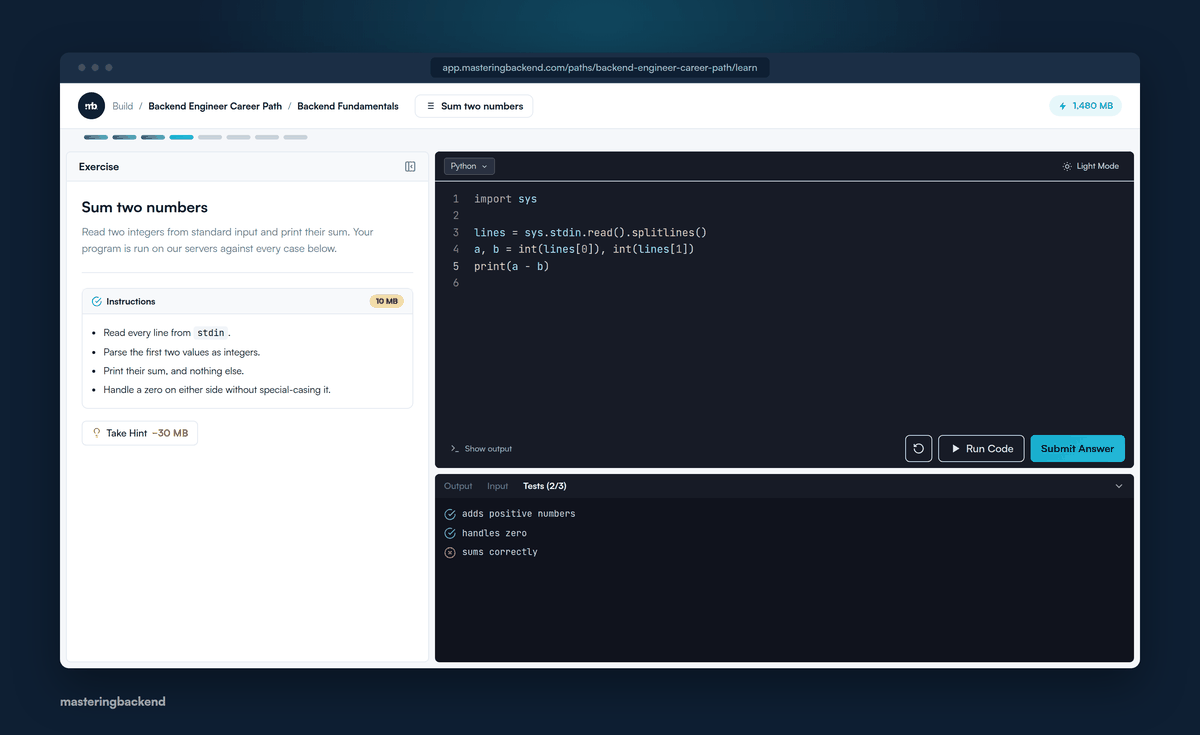
The exercise playground, with each check reporting back as it finishes.
The project playground
Open a project and land on a runnable baseline: a real terminal, a live server, and a preview of either the app or the API — with nothing installed locally. A guided walkthrough runs on the real interface rather than a video of it, ending on a live frontend preview.
Run test
The piece that ties it together. A learner boots their server, clicks Run test, and the platform sends a genuine HTTP request to that running server, grading the response against the task's contract — method, path, status code, shape.
Where a task has a contract, there is no self-mark button to fall back on. The platform can tell a learner no, and that is the whole point.
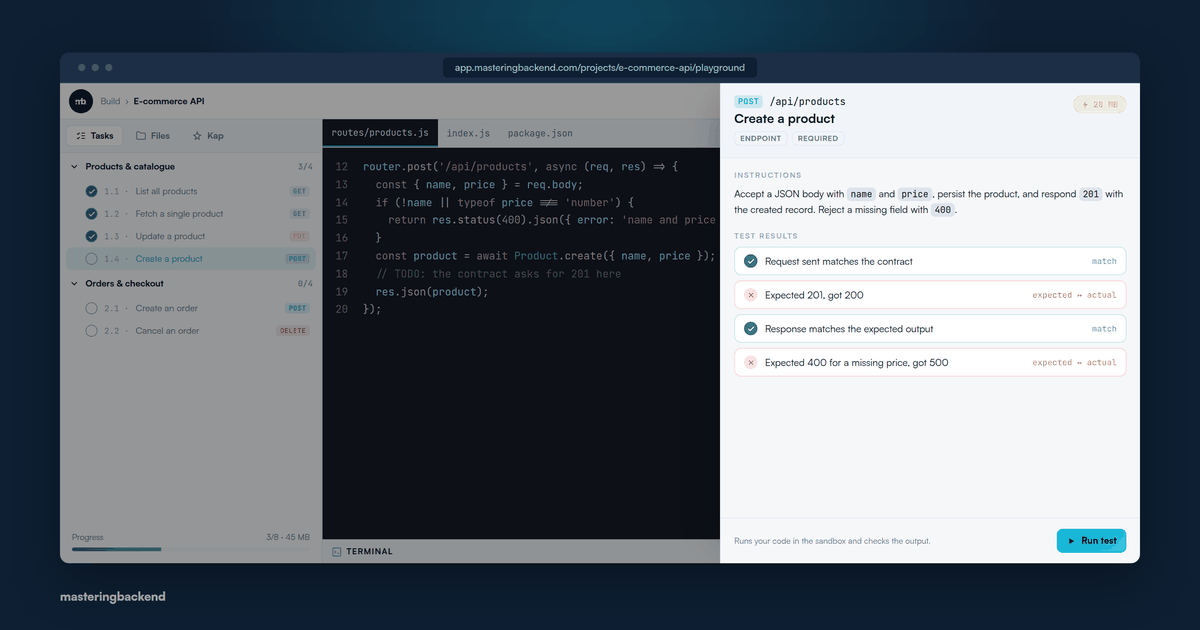
A failed test run, naming the checks that did not pass.
GitHub autosave
Connect GitHub once and a repository is provisioned for the project. Work commits and pushes as it's written, so the artefact outlives the browser session — and belongs to the learner, not to us.
Proof Worth Showing
The public developer portfolio
One page, readable with no account, leading with shipped projects rather than claims. It links the evidence behind each skill, shows a real computed interview average, and carries verifiable certificates.
Points-based path certificates
A certificate unlocks on points, not attendance. The remaining total is visible while working, so a learner always knows how far off it is — and cannot reach it by clicking through.
MB League and the Hall of Fame
A weekly ranking against a cohort at the same tier, across 5 tiers, where promotion and demotion are both real. Any row clicks through to that learner's portfolio. The Hall of Fame ranks all-time MB earned.
This replaced every per-context leaderboard the platform had — project, global project, bootcamp — which were consolidated into this one surface and deleted.
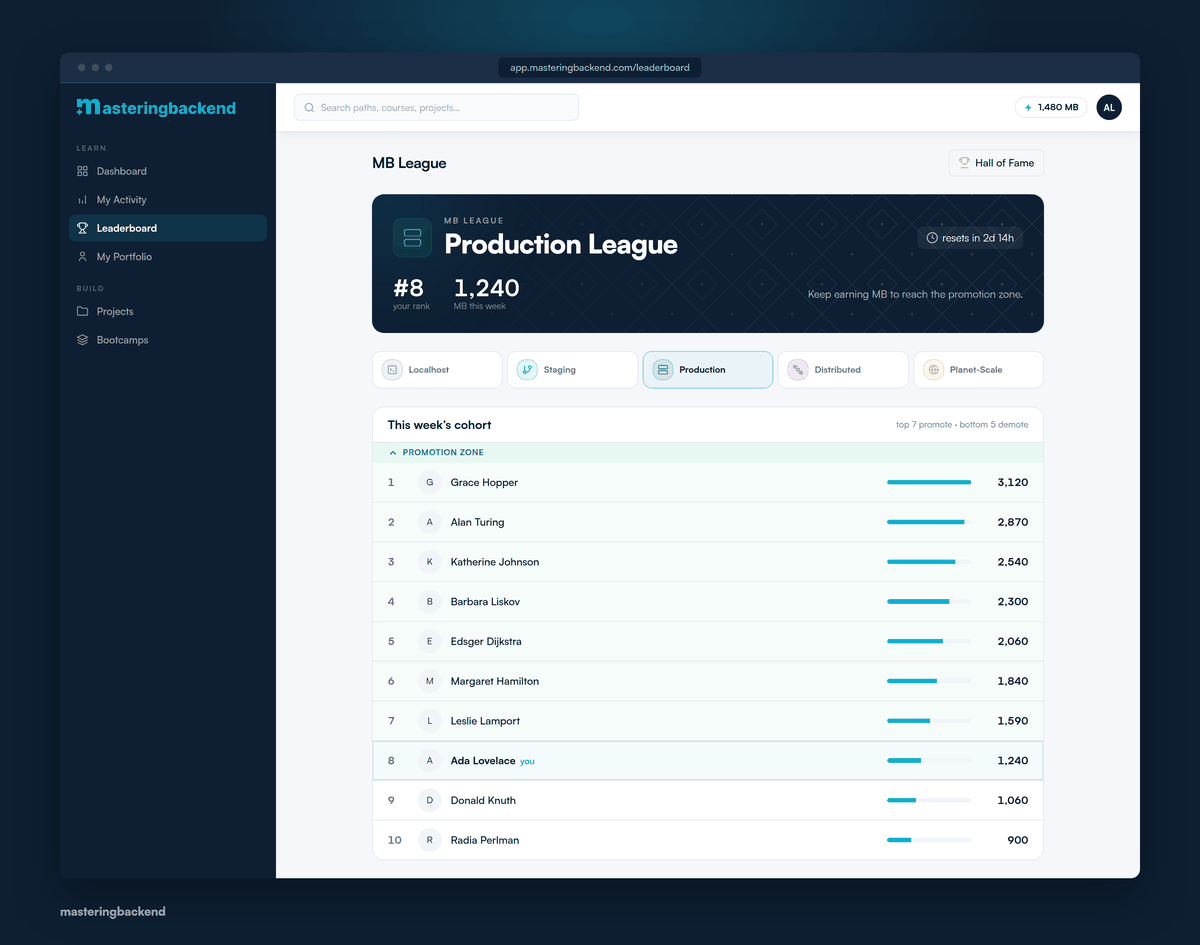
The MB League. Names shown are illustrative.
Interviews
- AI mock interviews, rebuilt. A full interview in chat with a code editor and a whiteboard inside it, ending in a report that streams in as it's generated and scores every answer separately with notes.
- Interview templates. Filter by company, format and category — or upload the actual job description you're applying against and get an interview built for it.
- Interviews inside a path. A mock interview is a step in the path workspace like any other, in the modality that step specifies, with a timer and an End control in the top bar.
- Try one before you commit. Walk a complete scripted interview — question, answer, timer, end, scored report — before starting a real one.
One Place to Work
- The path workspace. Video, article, quiz, exercise, project and mock-interview steps in one continuous, resumable session that tracks position and advances on completion — instead of a dozen tabs.
- A distraction-free lesson page. The video full-size, a caption transcript synced to it, and a slide-in code editor one click away. No site chrome.
- Article blocks. Prose, a runnable code editor and a check-understanding quiz inside a single lesson.
- Redesigned path pages with a milestone map, session-driven progress, and the learning schedule in the rail.
- Course pages that show the whole curriculum before you enrol — every chapter, video and article, and what each is worth.
- A dashboard that shows the single next thing to do, ranked from your own data rather than presented as a menu.
- A clearer sidebar and an activity feed covering all 6 activity types.
Improved
- A new look across the whole platform, with a real dark theme in Settings. Courses, paths, bootcamps, projects and interviews now look like one product.
- Everything works on a phone, including the interview code editor and whiteboard, reached through a bottom tab switcher.
- Course progress follows you. Progress counts the same whether a course was reached from a path, an offer, or directly — one record per learner per course, with a certificate that works.
- Free enrolment. Enrol in a path or course for free and land straight on the first piece of content.
- Browse projects without an account, including recommendations.
- Two-question onboarding that recommends and enrols you in a path matching the language you actually want to work in.
- Acknowledgement in the moment. Step unlocks, milestones, topic completions, achievements and level-ups are marked when they happen, and the next step opens automatically.
- Roadmap overview with step-level progress and bookmarks.
What This Cost
Removing the self-mark makes tasks take longer to finish, and harder to finish means fewer people finish. We knew that going in and shipped it anyway, because a completion rate that measures clicking is not worth protecting.
June is also the month that photographs worst. The largest engineering effort in the platform's history mostly runs on our servers after somebody clicks a button. What a learner sees is a short list of checks. What it took to make those checks trustworthy never appears on screen.
The full year is written up in how we rebuilt Masteringbackend in 2026, and the standards this work is checked against are in how we decide what ships.