Two things went live in August. Here is what each one lets you do.
Terminal projects
Some backend work has no HTTP surface at all. It is a program that reads something from the terminal, does a job, and prints a result. In August that became a first-class project type on Masteringbackend.
You write the program in a real terminal in the browser. Nothing to install,
no local runtime to configure. When you open a terminal task, the drawer shows
an Inputs section with one field for every value your program reads
from stdin, pre-filled with the values the task author chose.
You can change them. That is the part that matters, and it is the reason this
is worth an announcement rather than a line in a release note. The expected
output is stored as a template — {1} refers to the first input,
{2} to the second — and each placeholder is filled in with the value
you actually typed before your program's real output is compared against it.
So the check moves with you. Change the input and the expected output changes too, which means there is no version of a terminal task you pass by hardcoding the answer, and no version you pass because you happened to test the one value you had in mind while writing the code.
Hit Run test and one check comes back:
Output matches expected, or it does not.
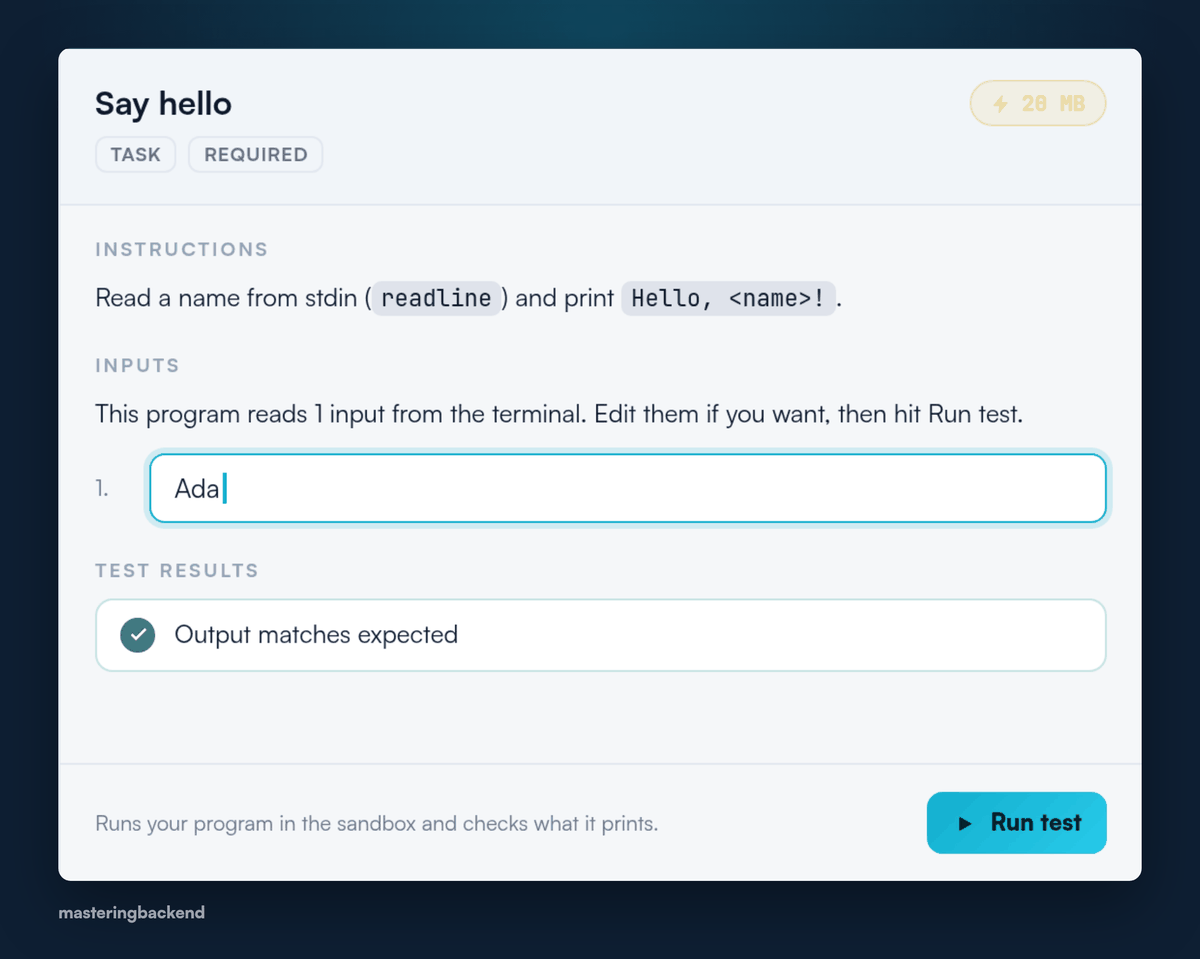
The Inputs section of a terminal task, holding the value the grader will run on.
Try Playground
The second change is smaller and removes a decision you had to make too
early. A seeded sample project now sits on the projects list behind a
Try Playground button.
Open it and you get the whole loop — create a file, run the server, run a test, see the preview — as a guided walkthrough, without enrolling in anything first. If the playground turns out not to be what you want, you have found that out in three minutes instead of after committing to a project.
What that adds up to
Both of these are about the same thing: closing the gap between work that looks finished and work somebody else could check. A program that only ever ran on the input you picked has not been tested, it has been agreed with. Now the input can stop being yours.
Both are live. Open a project and they are there.